Rebound Physical Therapy
A physical therapy app that helps teenage athletes stay on top of their rehab, track their progress, and rebuild confidence as they recover from injury and return to the sport they love.


Problem
Problem Statement
How might we help high school athletes in rehab from a sports-related injury stay motivated, track meaningful progress, and maintain consistent, engaging exercise routines?
Solution
Come Back Stronger
A physical therapy app that helps teenage athletes stay on top of their rehab, track their progress, and rebuild confidence as they recover from injury.
Research
Insights from Secondary Research

Physical Challenges
Pain, fatigue, stiffness, and limited mobility are common, but growth-plate and overuse injuries are the biggest concerns. Psychological and social barriers often impact rehab adherence more than physical ones.

Psychological Challenges
Athletes often bridge poor communication between coaches and providers. Injury can lead to exclusion, identity loss, and isolation. Repetitive rehab and negative comparisons decrease motivation.

Practical Barriers
School, therapy, and activities create tight time constraints. Limited access to specialized care makes rehab harder. Communication gaps between coaches, providers, and athletes add stress and uncertainty.

Support Factors
Emotional support and positive feedback boost motivation. Individualized, specific rehab plans keep athletes engaged. Peer support reduces isolation and anxiety. Mental-health resources, goal tracking, and progress visualization improve adherence.
Competitive analysis
Physical Therapy Apps
Competitors

Curovate
Features
- Personalized onboarding questionnaire
- Phases shown as achievements
- Programs for specific injuries
Areas to improve
- Simpler onboarding steps
- Clearer progress visuals and milestones
- More emotional support in the copy

MoveWise
Features
- Advanced recommendations
- Progress tracking and streaks
- Saved exercise library
Areas to improve
- Generic next to an in-person evaluation
- No community tab in Discover
- Relies on self-motivation

Prehab
Features
- Personalized programs
- In-depth injury and pain onboarding
- Detailed exercise descriptions
Areas to improve
- Little focus on mental health
- Motivation limited to reminders
- Weak visual hierarchy
User persona
Who Rebound is for
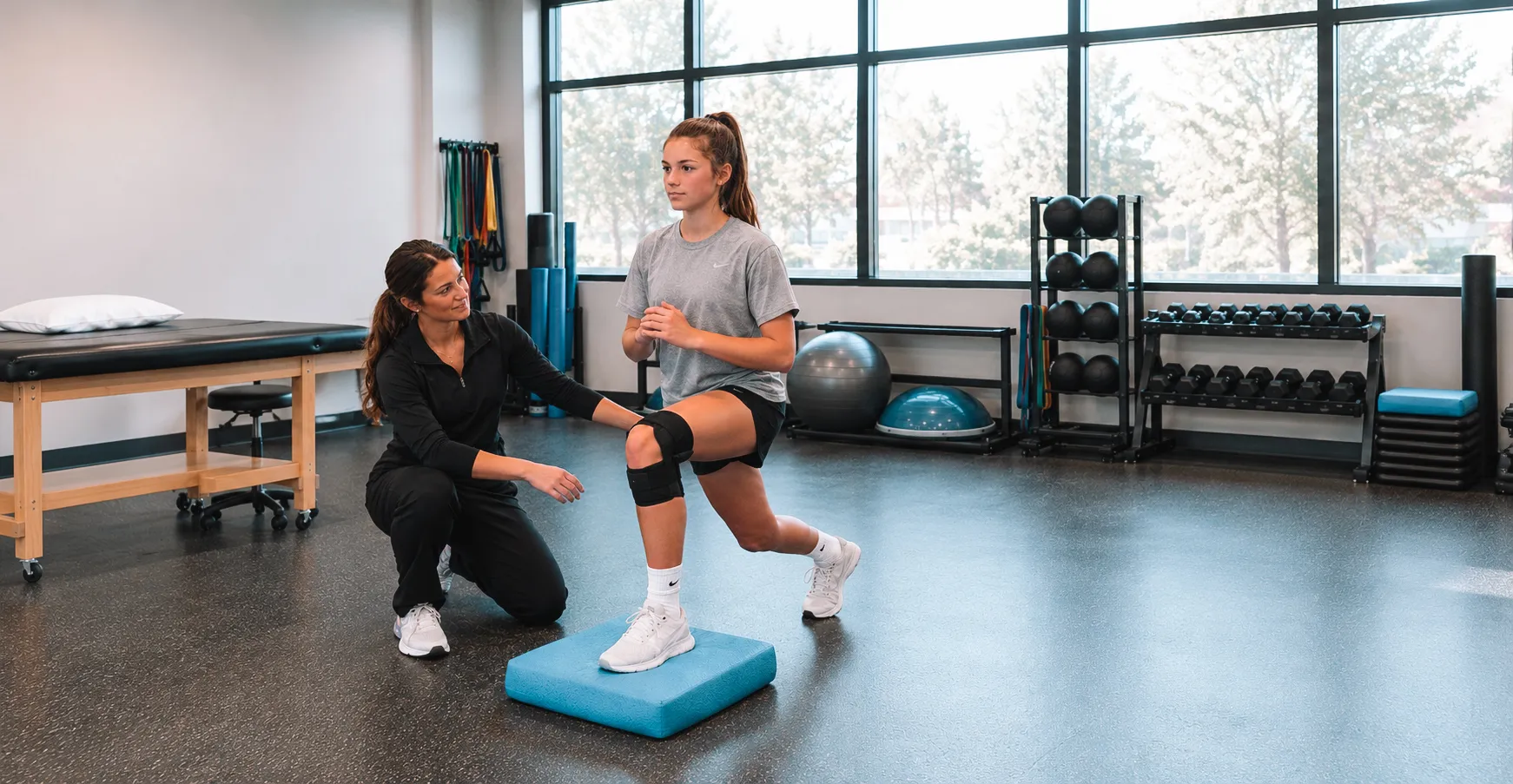
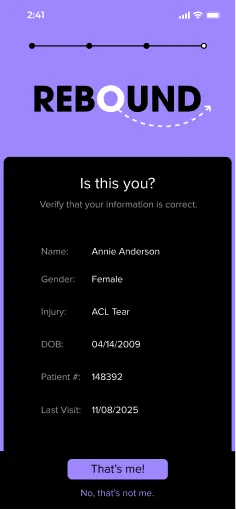
Annie Anderson
- Age
- 16
- Grade
- 11th (Junior)
- Occupation
- Student athlete
- Injury
- Torn right ACL
A varsity basketball player, Annie tore her ACL mid-game. After surgery she’s home juggling school, FOMO and physical therapy. She wants to recover fast, but the slow process frustrates her.
Goals
- Know where she is in rehab, with clear milestones.
- Stay connected to teammates and coaches.
- Get support and motivation on low-confidence days.
Frustrations
- Fear of falling behind and feeling isolated.
- Acting as the messenger between coaches and providers.
- Unsure if progress is “good enough,” and afraid of reinjury.
Quotes
“Having a plan laid out takes away a lot of the stress. I don’t want to figure it out on my own.”
“I want to be given a clear plan that tells me how I’m doing and that the rehab is working.”
User journey
Annie’s Road to Recovery
Annie’s recovery runs through five stages. We focused the design on mid rehab, when appointments thin out, home exercises get repetitive, and motivation drops the most.
Stage 1 of 5
Injury & Diagnosis
- Overwhelmed
- Anxious
- Upset
Experience & actions
Hurt in a game, Annie gets an MRI and learns she needs surgery and months of rehab.
Pain points
- Confused about next steps
- Unclear recovery timeline
- Missing the season
Opportunities for design
- Interactive injury and timeline education
- A tracker for phases and milestones
- Support from peers who’ve been there
Stage 2 of 5
Surgery & Early Recovery
- Discouraged
- Isolated
- Frustrated
Experience & actions
After surgery, Annie starts PT with limited mobility, daily pain and crutches at school.
Pain points
- Pain and boredom
- Slow progress
- Cut off from team and friends
Opportunities for design
- Gamified exercise reminders
- Celebrating small wins
- Shoutouts from coach and team
Stage 3 of 5
Mid Rehab
- Unmotivated
- Restless
- Doubtful
Experience & actions
Annie goes to PT 2–3 times a week, does home exercises, and tracks her progress on paper.
Pain points
- Motivation comes and goes
- Repetitive exercises feel dull
- Unsure if progress is “good enough”
Opportunities for design
- Progress graphs against personal goals
- Motivating messages from PT and teammates
- Smart reminders with form feedback videos
Stage 4 of 5
Late Rehab
- Nervous
- Hopeful
Experience & actions
Annie starts light running and agility drills, eager to return but afraid of reinjury.
Pain points
- Fear of reinjury
- Low confidence
- Unclear return-to-play criteria
Opportunities for design
- Confidence and resilience tools
- Readiness benchmarks like strength %
- Remote drills and coach feedback
Stage 5 of 5
Return to Sport
- Proud
- Apprehensive
Experience & actions
Cleared to play, Annie is still cautious in games while her PT and coach monitor her.
Pain points
- Performance anxiety
- Pressure to meet expectations
- Lingering pain or stiffness
Opportunities for design
- A return-to-play checklist
- A community of recovering athletes
- Ongoing injury prevention tracking
Color accessibility
Purple That Passes
We tested every text and background pairing in the palette against WCAG. Bright purple works on black and as a background for black text, and a deeper purple carries text on white.
The five boxing wizards jump quickly.
The five boxing wizards jump quickly.
Black on bright purple
#000000on#9E86FD
7.28:1
- Normal text
- AA passAAA pass
- Large text
- AA passAAA pass
- UI components
- AA pass
The five boxing wizards jump quickly.
The five boxing wizards jump quickly.
Bright purple on black
#9E86FDon#000000
7.28:1
- Normal text
- AA passAAA pass
- Large text
- AA passAAA pass
- UI components
- AA pass
The five boxing wizards jump quickly.
The five boxing wizards jump quickly.
Deep purple on white
#4D37A4on#FFFFFF
8.76:1
- Normal text
- AA passAAA pass
- Large text
- AA passAAA pass
- UI components
- AA pass
Design process
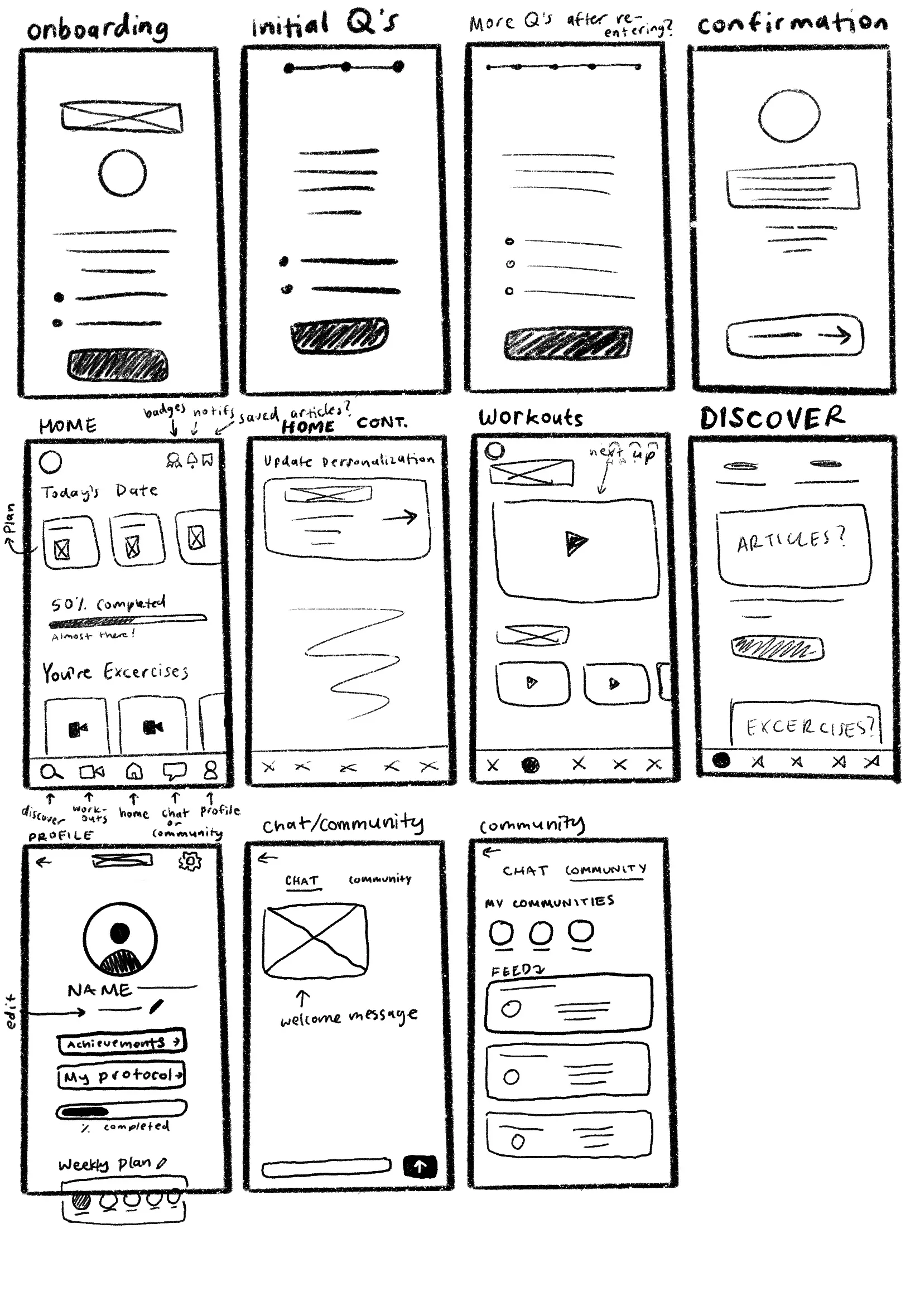
Sketches to Low-fi Wireframes
Sketches
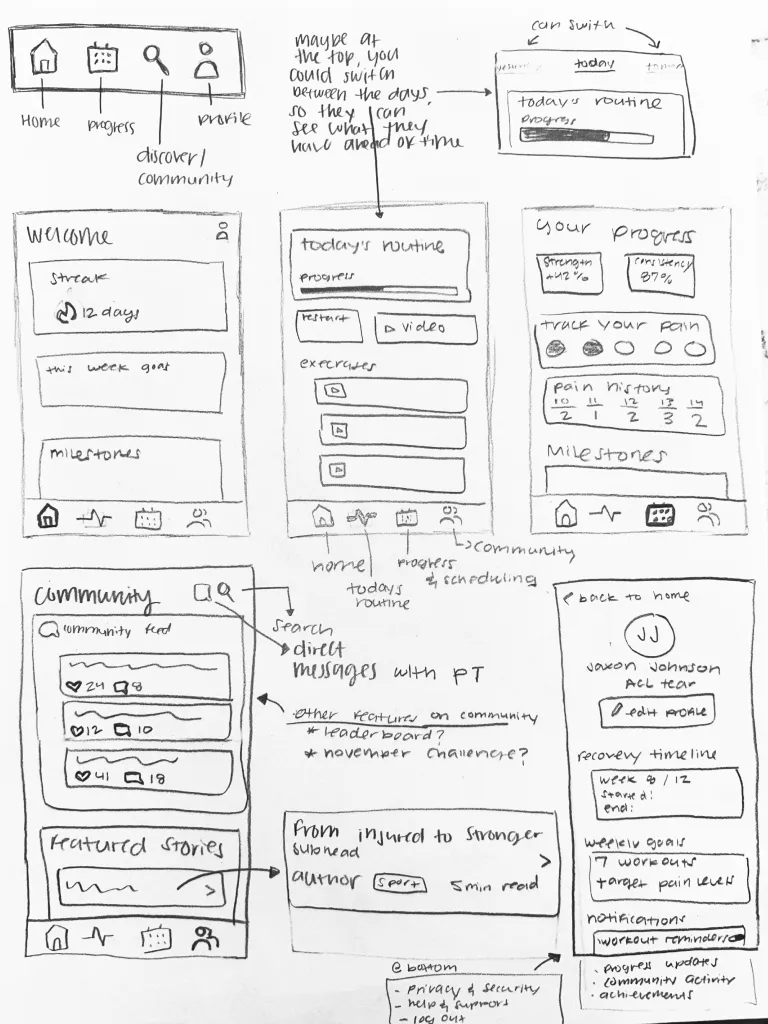
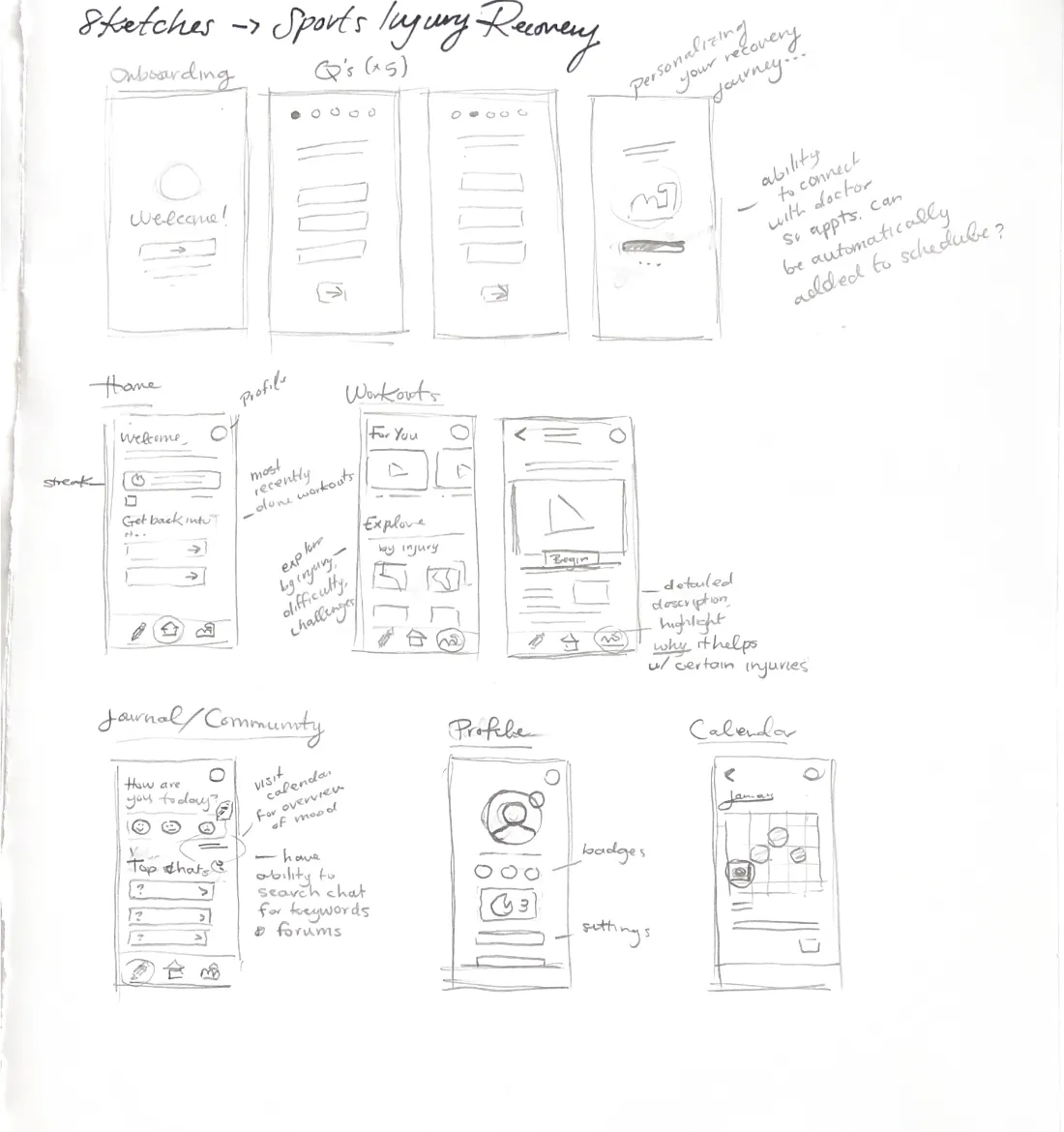
Low-fi wireframes
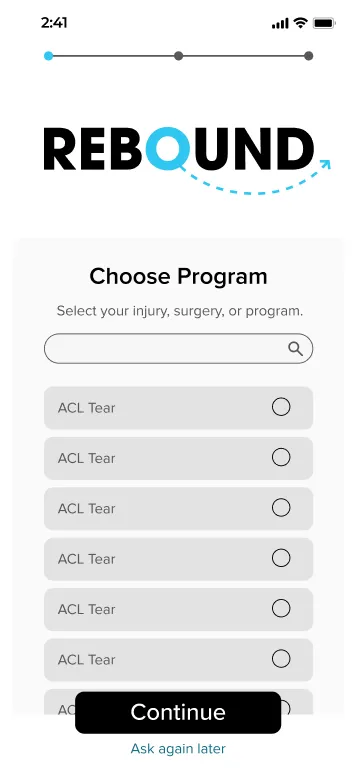
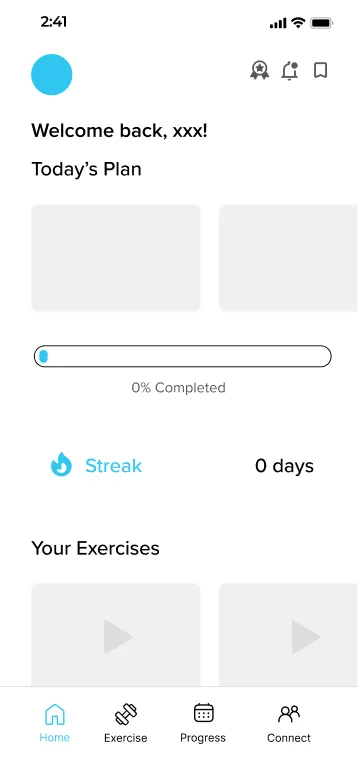
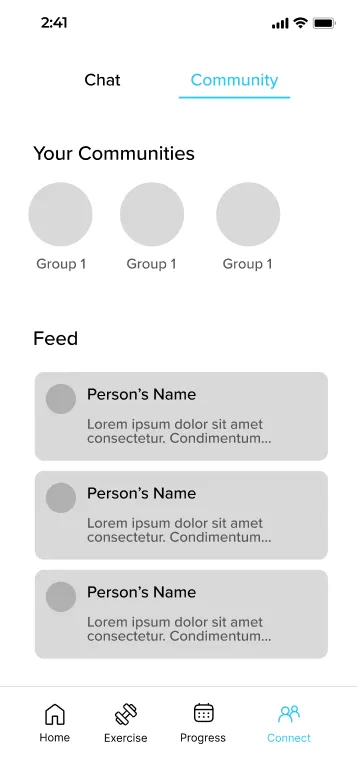
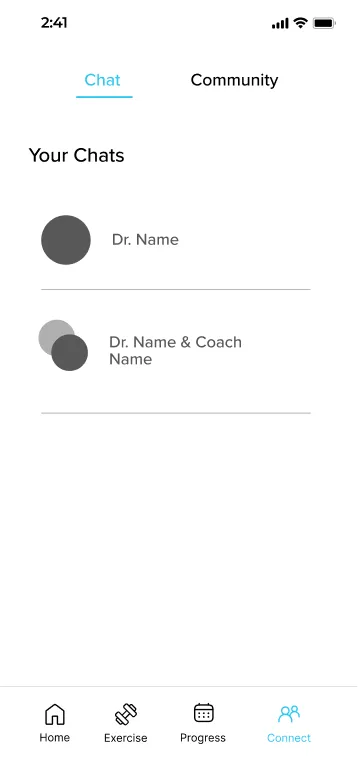
App before testing
The First Hi-fi Build
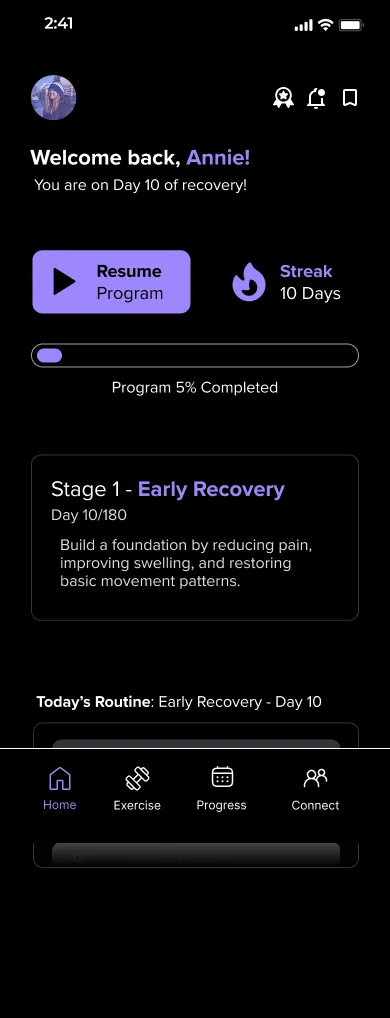
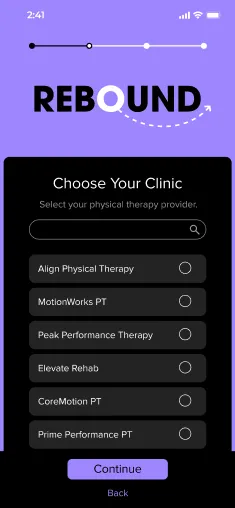
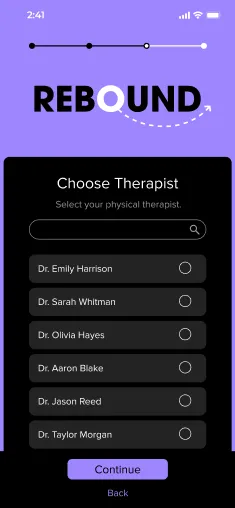
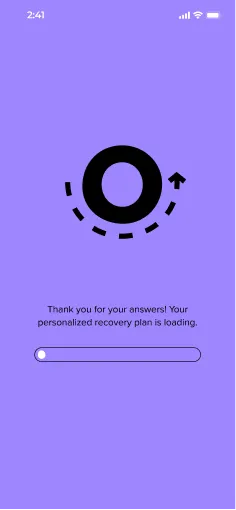
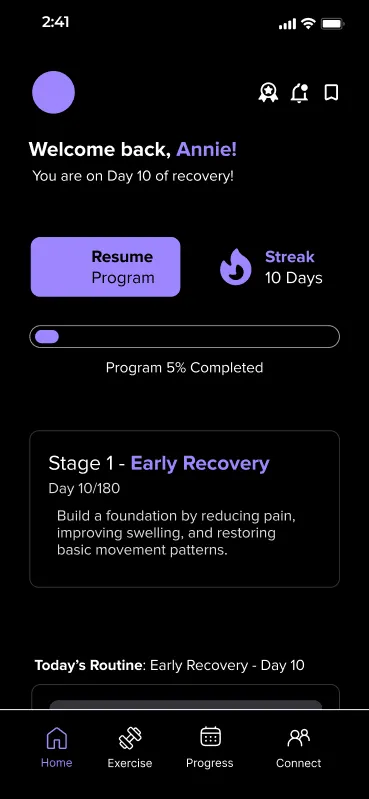
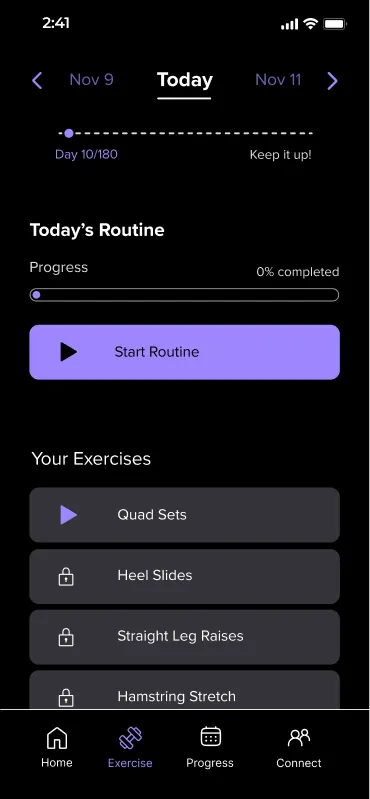
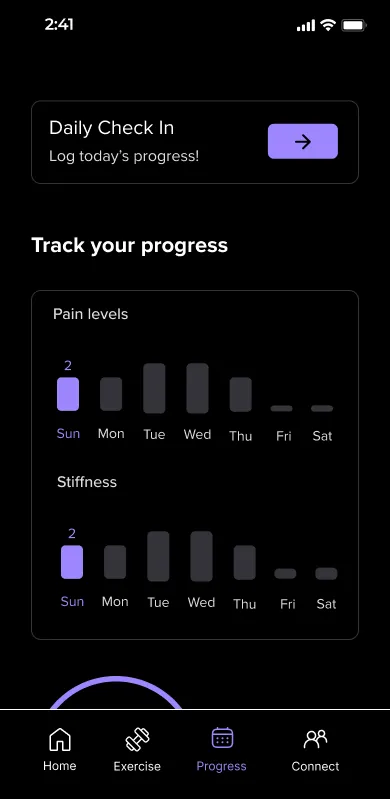
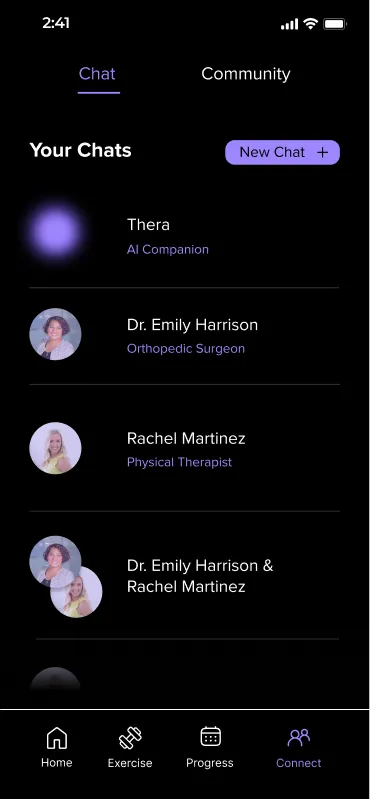
Our first full design took Annie from sign-up to a daily routine, before we put it in front of testers.
Onboarding
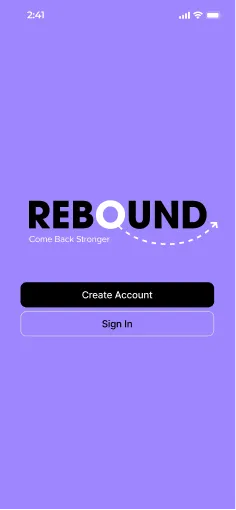
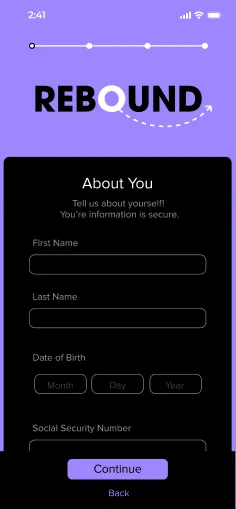
App overview
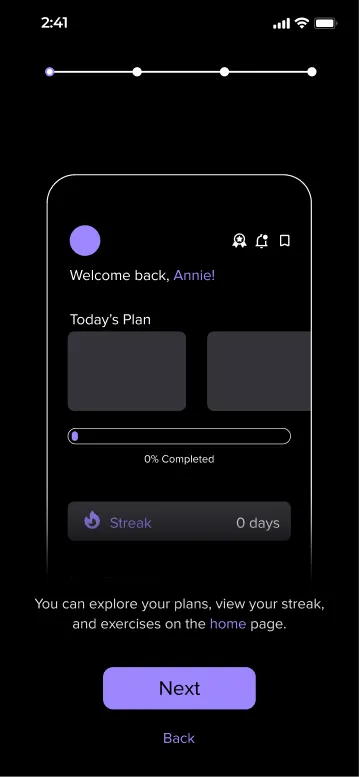
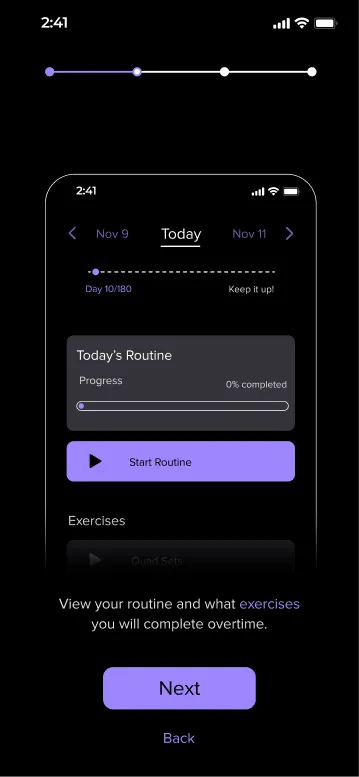
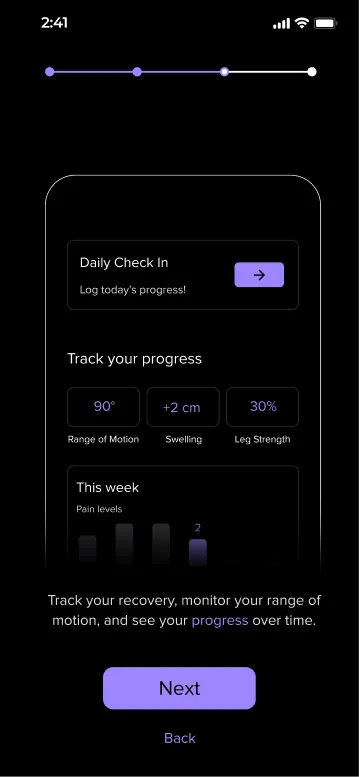
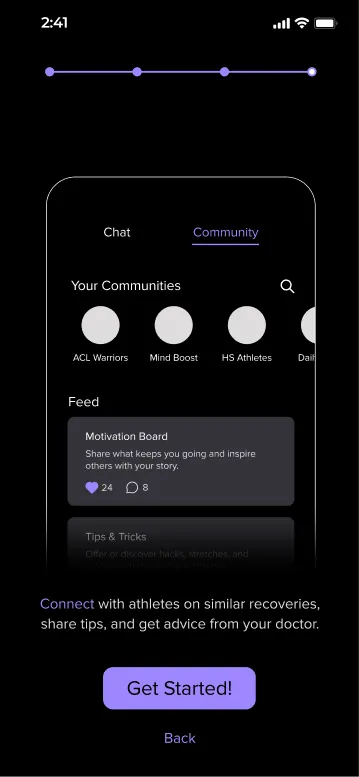
Main screens
User testing
Key Findings & Refinements
Finding 01
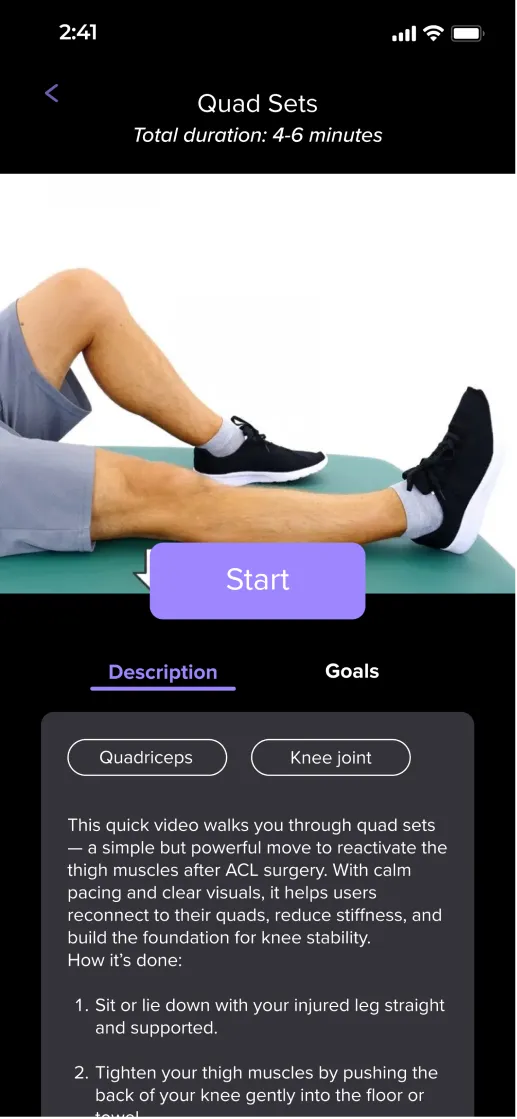
Exercises were not immediately read as videos
Testers had trouble matching the screen to the visual cues of a video player.
Video screen: what changed
Added video controls: play and skip buttons, a scrubber, and the video’s length.
Didn’t feel like a video. I am missing the visual cues that it’s a video, like the play button, the video time, etc.

Before 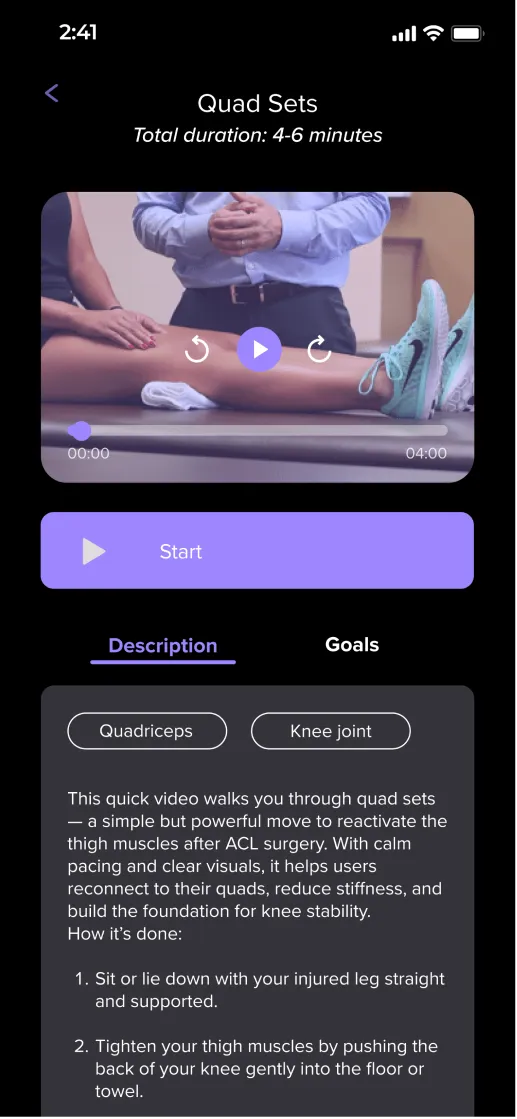
After Finding 02
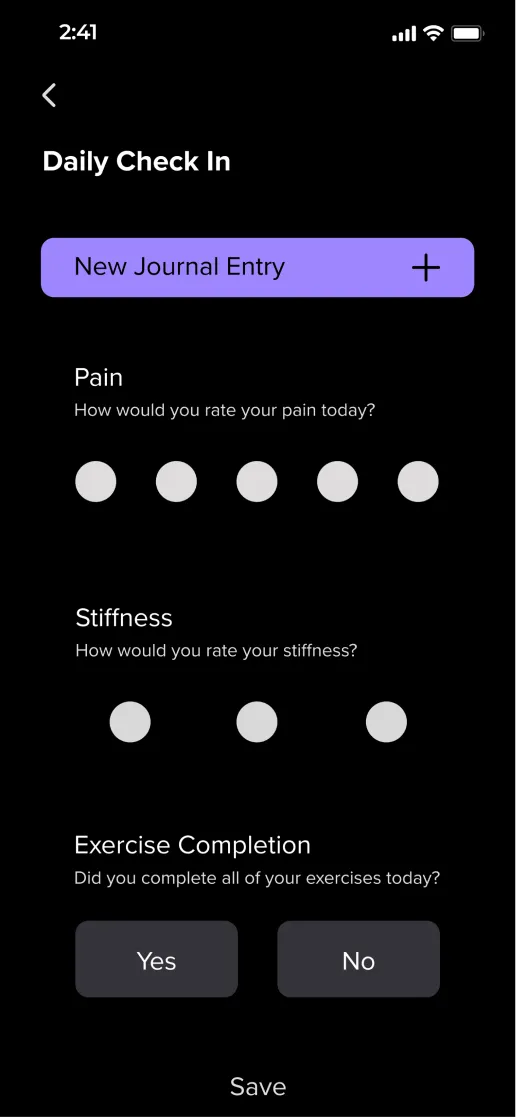
Users need clear confirmation of completion
There was a lack of confidence that an action had been completed.
Daily check-in: what changed
Added a Save button and a confirmation message once the entry is saved.
Maybe it should have some kind of confirmation or animation after it is done (way to go, keep going!) to help you want to do it. There is also no save button on the journal screen.
Before 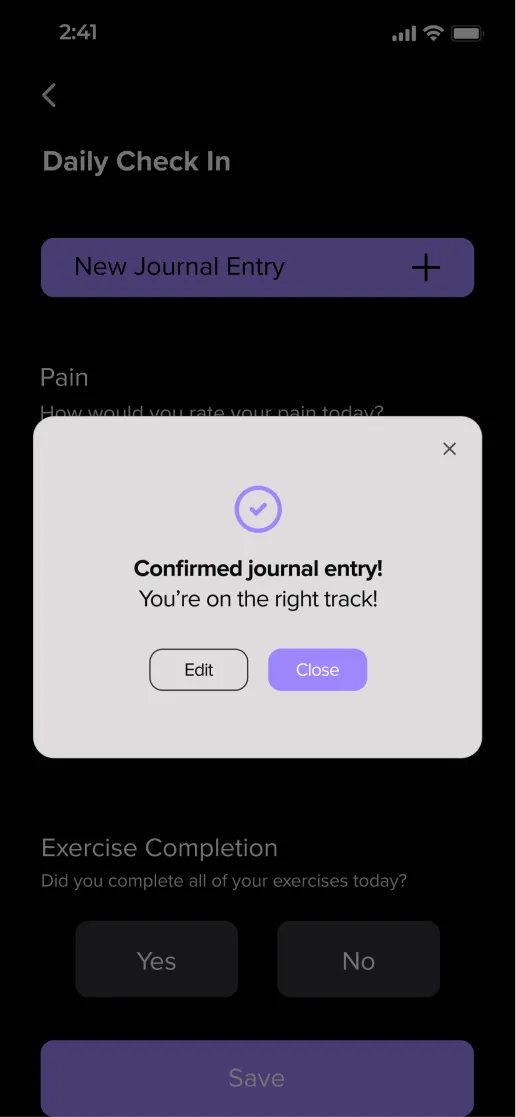
After Finding 03
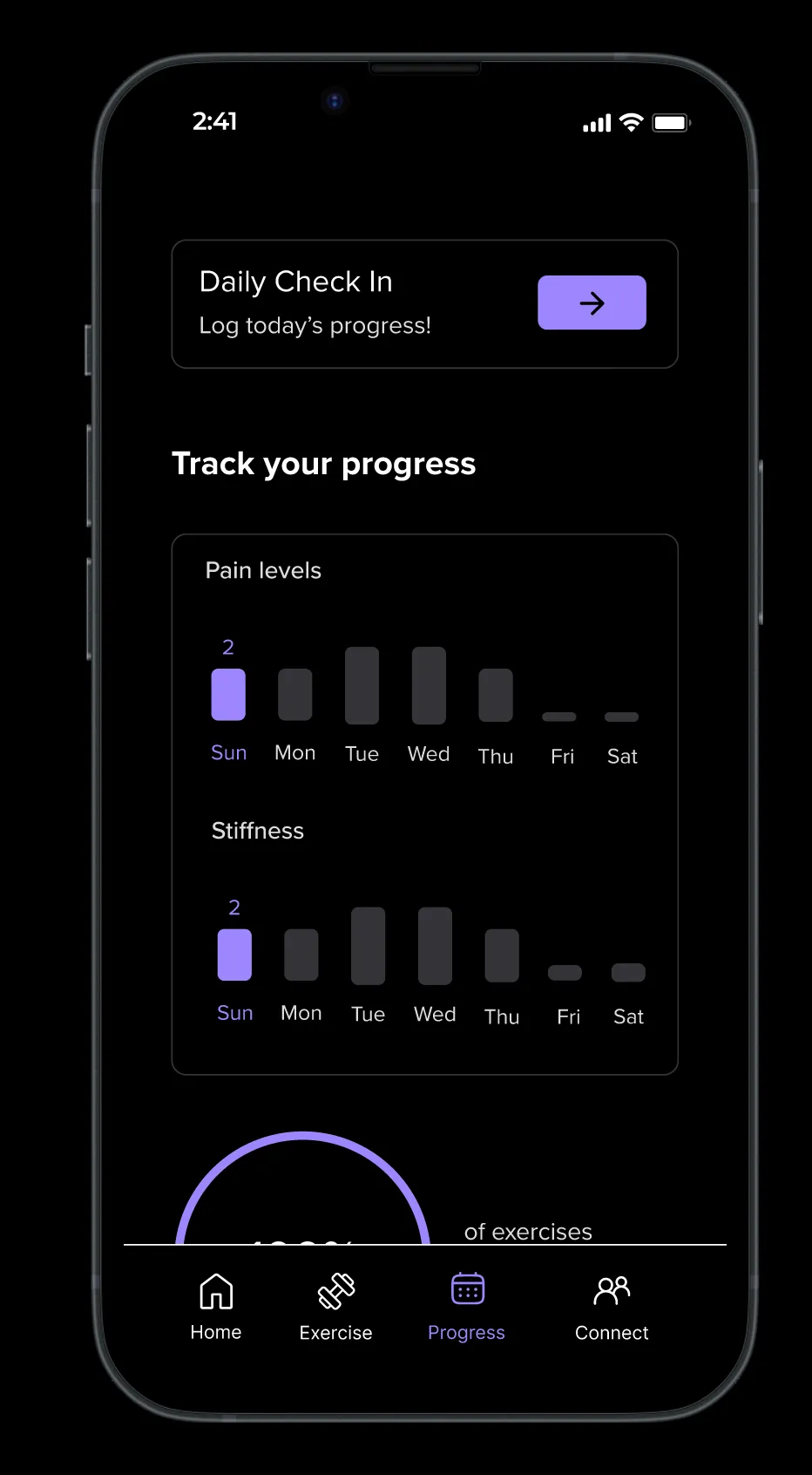
Users want to track progress over multiple time periods
Testers wanted a more holistic view of their progress.
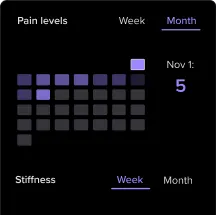
Progress screen: what changed
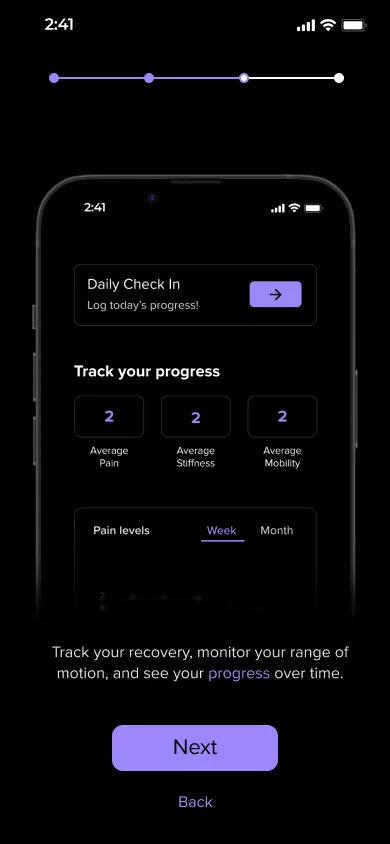
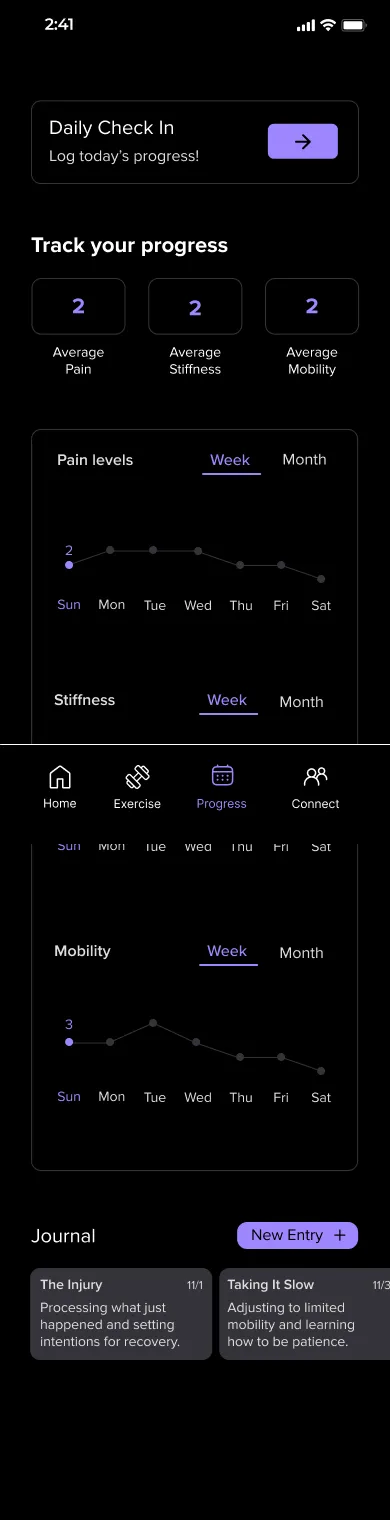
Added average scores and a Week / Month toggle, so slow changes show up over a month.
Since pain and stiffness don’t change drastically over a week, it would be nice to see a monthly progress view.
Before 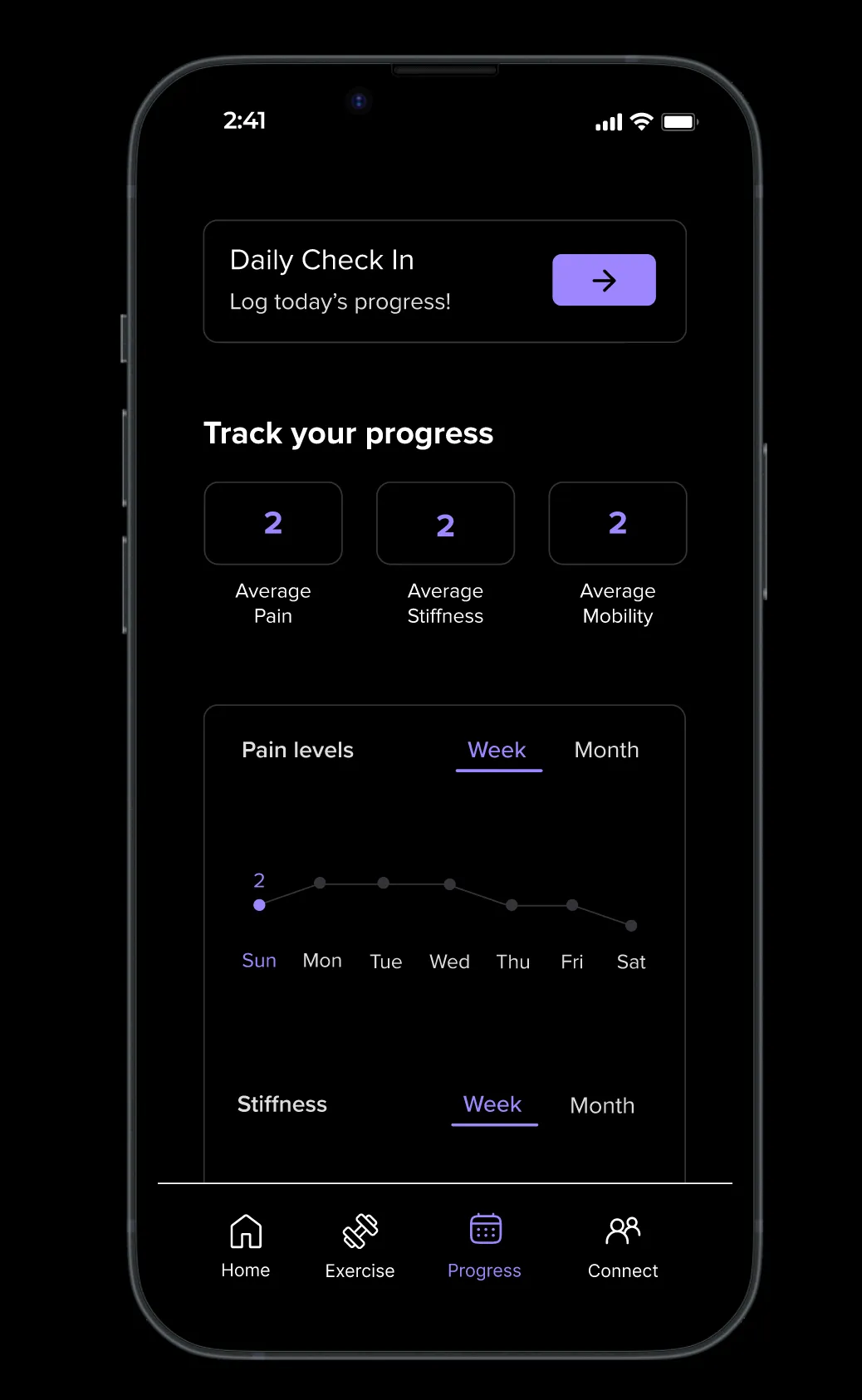
After
Final design
The Final App
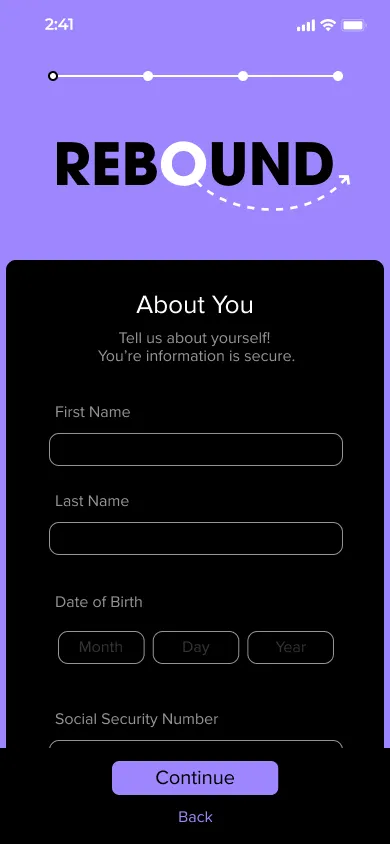
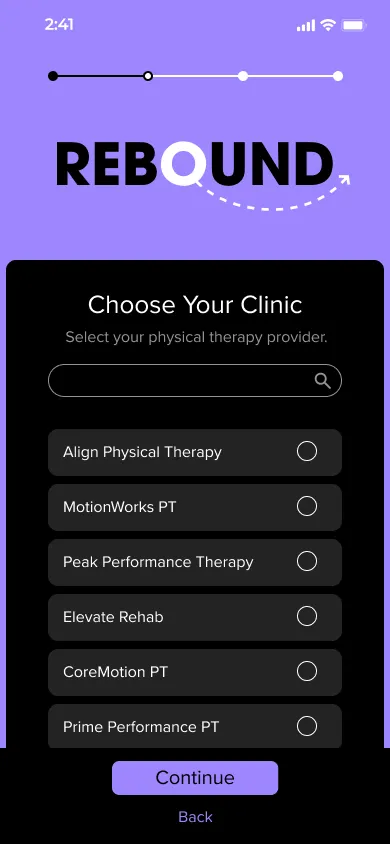
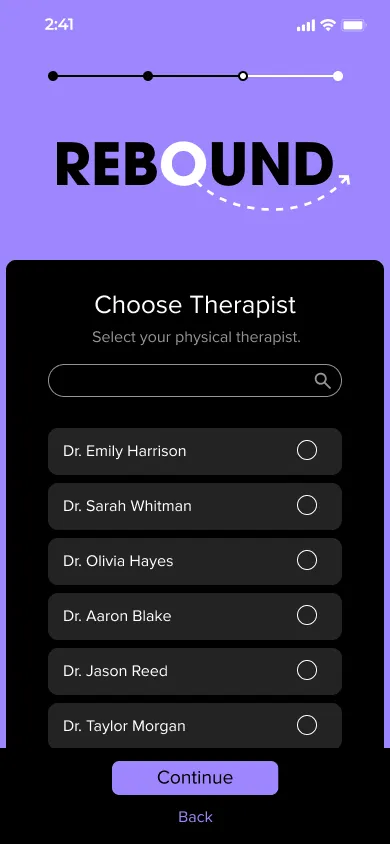
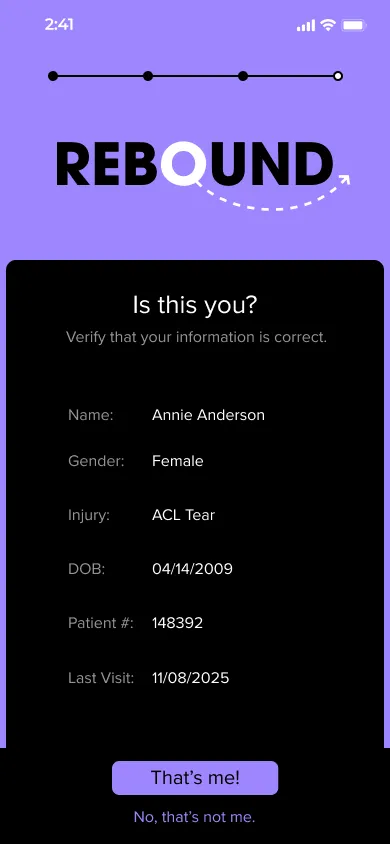
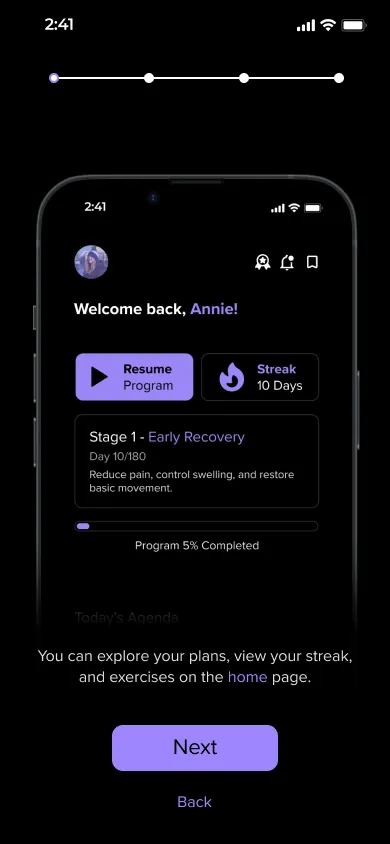
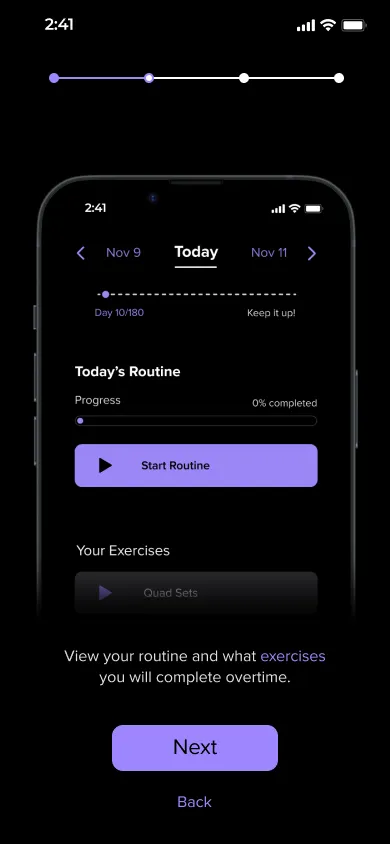
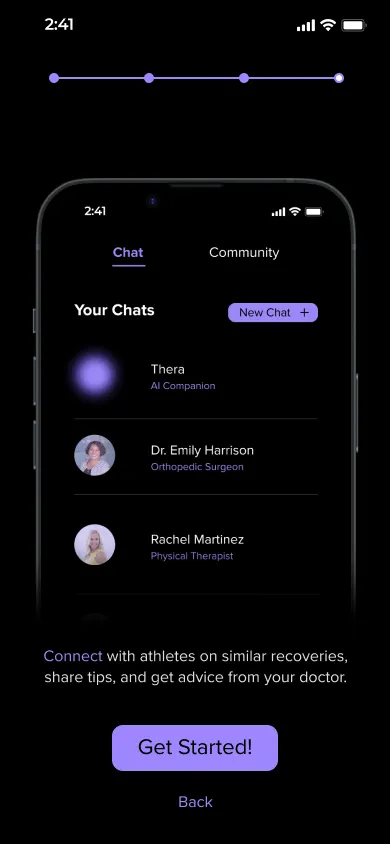
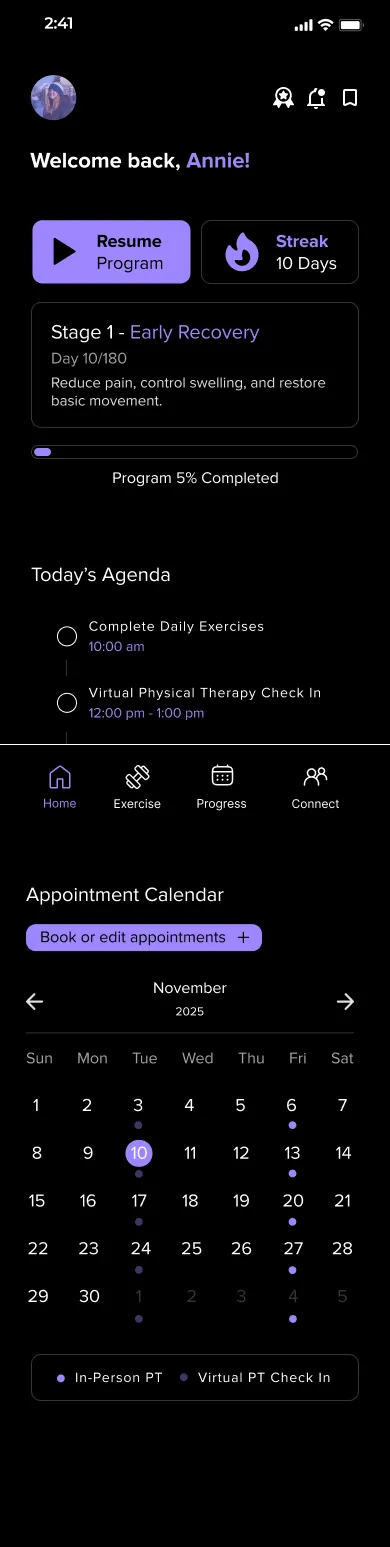
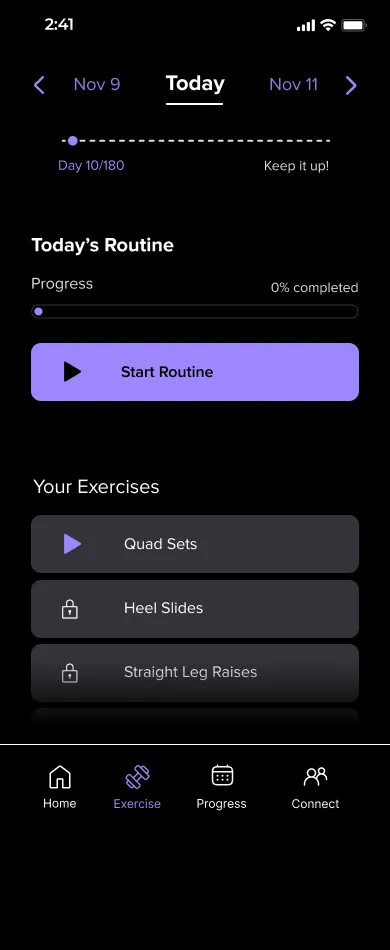
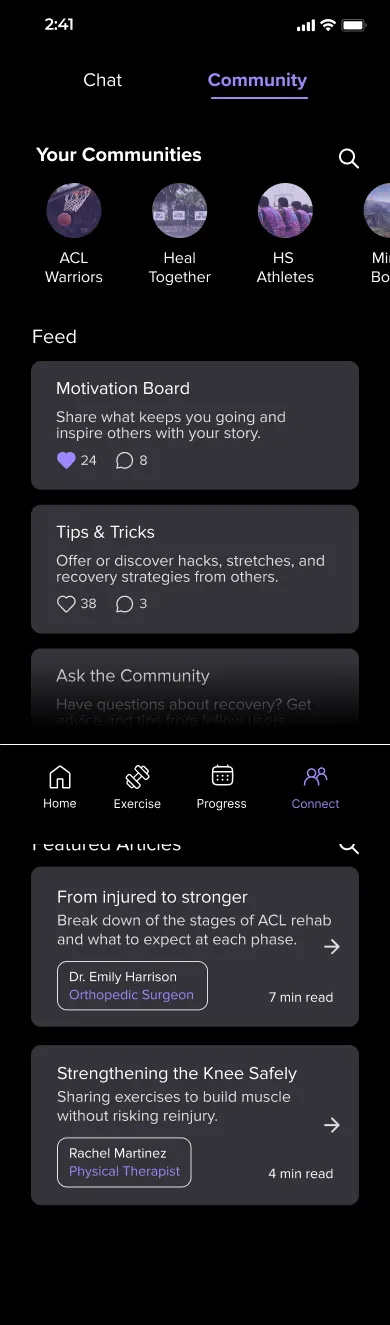
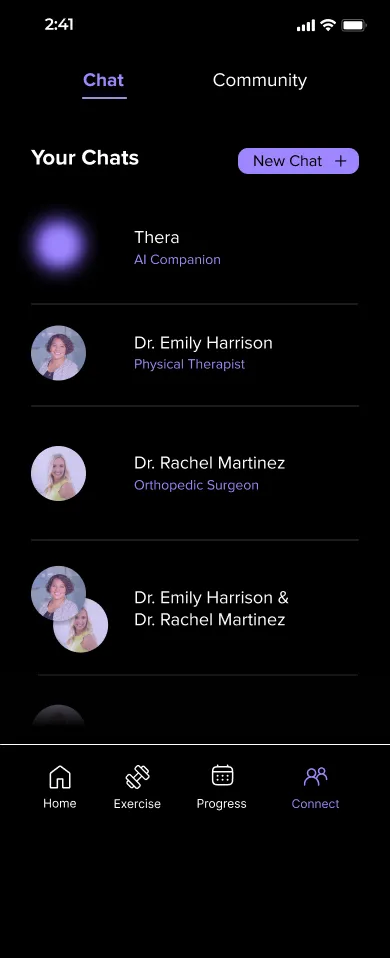
After testing, the final app brings exercises, progress and support together, from the first sign-up screen to Annie’s daily routine.
Onboarding
App overview
Main screens
Scroll inside each screen to see all of it.
Try the App
Tap through Rebound the way Annie would, from signing up to her daily routine.
Things to try
- Create an account and pick a clinic and therapist.
- Start today’s routine from the home screen.
- Check your progress and open the chat with your care team.
Conclusion
Built for the Body and the Mind
Working on this physical therapy app, we thought about not only the physical struggles of going through rehab for a sports-related injury, but the mental struggles as well.
We took this into account during every part of the process. In the end, we created an app that lets athletes complete exercises, view progress, and connect with others, all in one cohesive app.
Takeaways
Recovery is mental too
Isolation and doubt slowed rehab as much as pain did, so support and community sit next to the exercises.
Test before you polish
Three findings from user testing reshaped the video, check-in and progress screens.
Progress needs to be visible
Stages, streaks and monthly views help athletes see slow gains that are easy to miss week to week.
Next steps
- Test the final app with high school athletes in rehab.
- Add a return-to-play checklist with feedback from the PT and coach.
- Explore ongoing injury prevention after athletes return to sport.